 Montik
Edit video with Claude
Claude can’t change a video file by itself. Connect it to Montik, a browser video editor, and it cuts your footage on a timeline you can watch and change while it works.
Free to start. No card needed.
Set it up in three steps
1. Connect Montik to Claude
Create a Montik account. In Claude, open Customize > Connectors, choose Add custom connector and paste this URL. Sign in and choose Allow.
https://studio.montik.app/mcp
Using Claude Code or Cursor? See the MCP setup.
2. Add your footage
Upload it in the browser, or give Claude a public link. Claude can also upload files it made itself.
3. Brief it like an editor
Describe the ad in the Claude chat and keep the project open. Each change lands on your timeline as Claude makes it.
What to ask for
- Transcribe the interview, cut the ums and long pauses, add karaoke captions.
- Make a 15 second vertical cut with the strongest hook first.
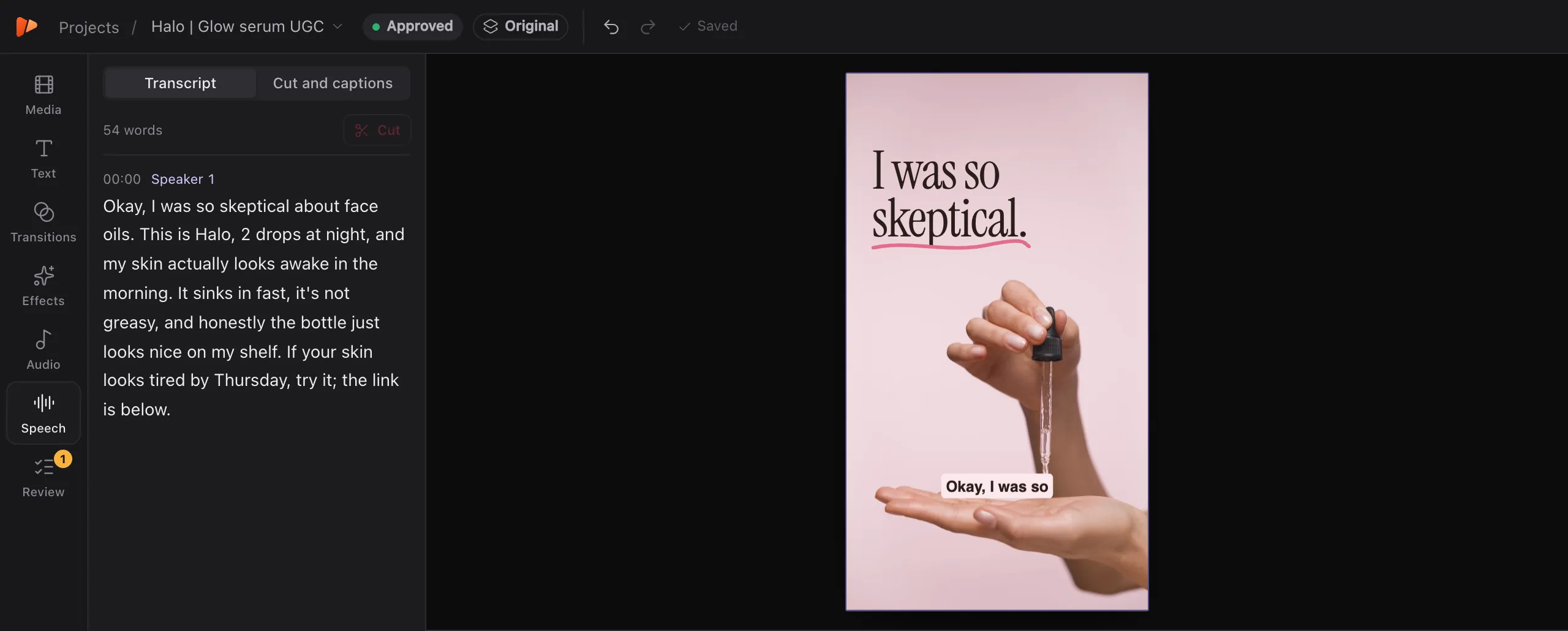
- Cut a 9:16 ad from the voiceover and the serum shots. B-roll under every line, captions, music under the voice.
- Work through the open notes and reply with what you changed.
What Claude can do in the edit
- Cut on the words
- Delete words from the transcript, and take out filler words and long pauses in one step.
- Find the shots
- Search your footage by what happens in it, then lay B-roll under the lines it belongs to.
- Finish the sound
- Even out loudness between takes, duck music under the voice and add sound effects.
- Caption and design
- Add captions timed to each word, and write animated titles, callouts and end cards in your brand kit.
- Check its own work
- Render frames to look at the edit, and check text against TikTok, Reels and Shorts safe areas.
- Make the versions
- Save versions, build hook variants from the approved cut and start an export.
You can take over at any point
Every change Claude makes is one undo step in the same history as your own edits, so ⌘Z takes it back. Save a version before a big pass, compare it with the current cut and restore it if you prefer. You can edit by hand while Claude works, and it builds on your changes.
Other ways to edit video with Claude
Claude Code can also run FFmpeg on files on your computer, through community skills such as video-use, or write motion graphics as code with Remotion. Those suit people who are comfortable in a terminal and want everything to stay on their machine.
Montik suits you if you want to see the timeline, adjust it by hand, send a review link and work in the Claude app with nothing to install. Your footage is stored in the cloud, and it’s built for short ads and social videos.
Questions people ask
Can Claude edit a video by itself?
No. Claude can’t change a video file on its own, so it needs tools. Connecting it to Montik gives it an editor to work in: it transcribes the footage, makes the cuts and exports the result.
Which Claude plan do I need?
Any plan. Montik connects as a custom connector in Claude on the web, desktop and mobile. Claude Code can connect as well.
Can Claude see my footage?
It reads a word-by-word transcript and can view frames from your files and from its own edit. Montik also has Claude describe each upload, so a shot can be found by what happens in it.
What does it cost?
You can start free. The Free plan gives a workspace 5 exports and 30 minutes of transcription a month, with 2 GB of storage and exports up to 720p. Paid plans start at $19 a month and open soon.
What kind of video is it good for?
Short ads and social videos, especially talking-head and UGC footage, where cutting on the words, captions, graphics and hook variants take most of the time.